 Francesco Chiaramonte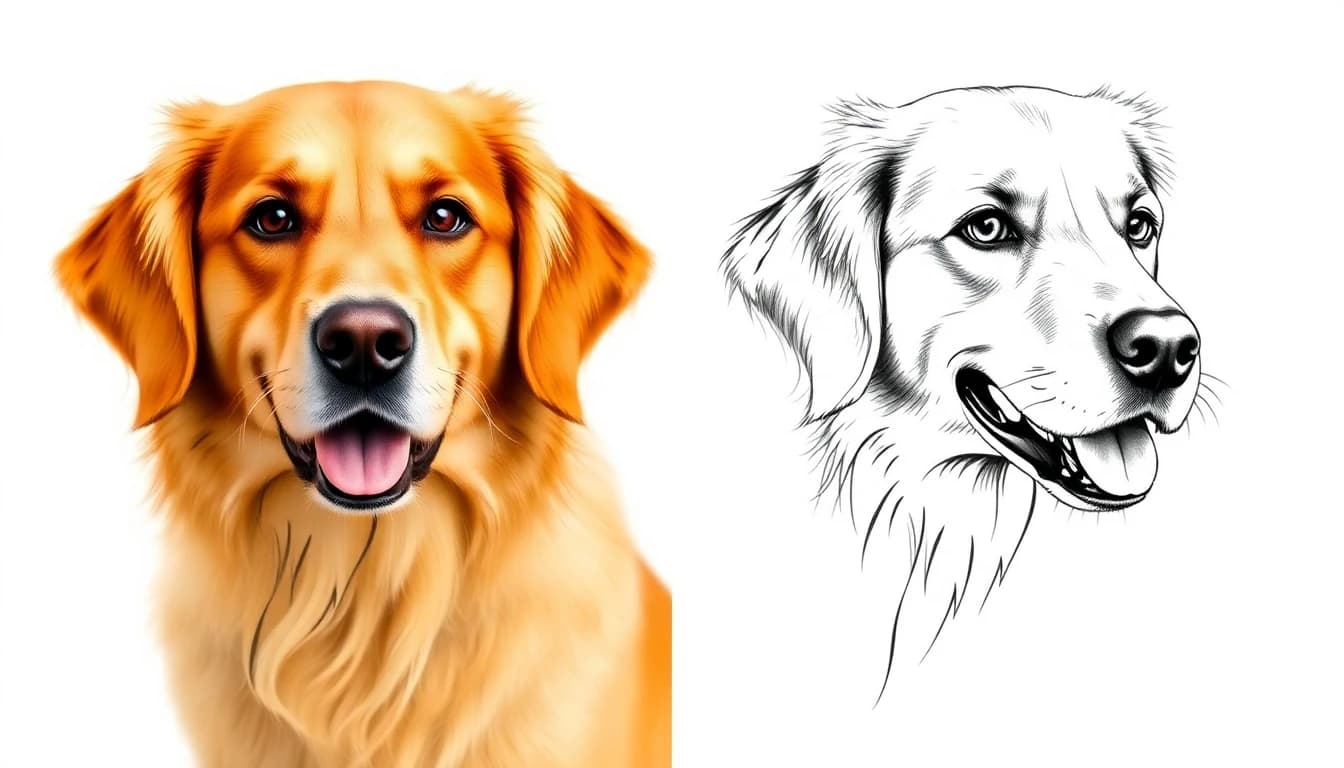
The best image to tattoo converter depends on what you want back: a stylized tattoo concept, clean stencil-style linework, or a design placed on your body photo. For turning a photo, pet picture, or sketch into a tattoo-style concept, a tattoo-specific converter such as Ink Studio AI Image to Tattoo is the most direct route. For stencil lines, a stencil converter fits better. Below I compare nine tools, then walk through each workflow.
Ink Studio AI publishes this guide and is an interested party. Competitor facts come from the product pages listed at the end, which I fetched on October 17, 2026. Facts about BlackInk AI, MyInk.ai, and Canva come from the comparison data on this site, last reviewed August 29, 2026. Prices and free tiers change often, so confirm them on each site before you pay.
Choose by input and output
Image-to-tattoo tools do not all solve the same job. Pick the output first, then the tool.
| Your input | Desired output | Start with |
|---|---|---|
| Pet, portrait, object, or artwork | A stylized tattoo concept | Ink Studio AI Image to Tattoo |
| Finished design | Cleaner stencil reference | Tattoo to Stencil, BlackInk AI, or a local threshold converter |
| Existing tattoo to cover | New directions around the old shape | MyInk.ai or BlackInk AI |
| Finished concept plus body photo | Placement conversation | Try-on tool |
| Mixed references and labels | Printable mood board | Canva |
Image-to-tattoo tools compared
This table covers what each vendor states on its own page. "Not stated" means the page I fetched did not say, not that the feature is missing. Ink Studio AI is included for completeness and I have not tested the others side by side on one photo set.
| Tool | Input | Free tier | Paid price | Watermark | Stencil export | Best for |
|---|---|---|---|---|---|---|
| Ink Studio AI | Photo or artwork, plus text | First design for a new account, no card | One-time plans, see pricing | Not stated here | Separate stencil converter | Pet, memorial, and sketch concepts |
| BlackInk AI | Image remix, text | 3 credits, limited tools | $15 monthly, $39.99 quarterly, $72 annually | Not stated | Included converter | An ongoing planning toolkit |
| MyInk.ai | Reference-led, text | 8 free credits | $4.99 for 25 credits, $9.99 for 60, Pro+ from $9.99/mo | Not stated | Not stated | Cover-ups and artist handoff |
| tat.ink | PNG, JPG, WEBP up to 5 MB | Called free, limits not listed | Pricing page exists, no prices on the tool page | Not stated | Links to a separate tool | Quick style variations |
| Picsart | Text, reference images | Called free, limits not listed | Pro €9.16/mo billed yearly, Ultra €21.08/mo billed yearly | Not stated | Not stated | People already editing in Picsart |
| Flux AI | Text, photos, sketches | Free trial, no sign-up | No prices listed | Has a remove control | Not stated | Trying a tool with no account |
| Lift | Photos, reference images, text | Not stated | Lift Pro, price shown before payment | Not stated | Yes, outlines and stencils | Phone-first line drawings |
| Canva | General image and design editor | Free plan, limited AI allowance | Pro $144/year in the US | Varies by plan | No | Mood boards and lettering |
| ChatGPT | Uploaded images, conversation | Free tier, limited image generation | Paid plans, see OpenAI | Not stated | No | Describing edits in plain words |
Two things stand out. Only a few tools state stencil export, and none of them promises a tattoo-ready result. Free tiers are mostly vague, so expect to hit a limit quickly.
How to pick
Use this short decision list.
- You have a photo and want it to look like a tattoo. Use a tattoo-specific converter with style choices, such as Ink Studio AI, tat.ink, or Flux AI.
- You have a finished design and need clean lines. Use a stencil converter such as Tattoo to Stencil, BlackInk AI, or Lift.
- You want to cover or rework an old tattoo. Look at MyInk.ai or BlackInk AI, which advertise cover-up workflows.
- You want to see it on your body. Use a try-on tool. See Try Tattoo for a flat 2D preview.
- You only need to arrange references and text. Canva is enough.
- You are on a tight budget and only need one project. Prefer one-time or credit-pack pricing over a renewing subscription, and cancel anything that auto-renews once you are done.
Ink Studio AI: best for guided style conversion
The Image to Tattoo workflow accepts a photo or artwork and reinterprets it using a selected tattoo direction. It suits pet portraits, memorial imagery, objects, and sketches where the subject should stay recognizable while the visual language changes. The same account also covers a stencil reference converter and a flat 2D body-photo preview.
The result is a concept reference, not a tattoo-ready stencil. Faces, paws, hands, lettering, and small details need close inspection. Access plans are one-time payments rather than renewing subscriptions, and paid access includes a limited allowance of Premium credits for these compute-intensive conversions.
BlackInk AI: best for a broader conversion toolkit
BlackInk AI's paid plan advertises an image-to-stencil converter, remixing, 4× downloads, placement templates, and cover-up or filler workflows. That is a stronger fit when the task extends beyond one style conversion into an ongoing planning toolkit.
Its subscription begins at $15 monthly, while the free tier is limited to 3 credits with limited tools. Review its license if you are a tattoo professional, since the current terms distinguish personal from commercial use. For a side-by-side, see Ink Studio AI vs BlackInk AI.
MyInk.ai: best for guided rounds and handoff
MyInk.ai advertises four-direction creative rounds, try-on, cover-up directions, and an artist-handoff workflow. It also offers small credit packs from $4.99 on its pricing page. This suits someone who wants a structured brief rather than only a transformed image. Compare the details in Ink Studio AI vs MyInk.ai.
tat.ink, Picsart, Flux AI, and Lift: fast web and app options
These four rank for "photo to tattoo converter" and each takes a slightly different approach, based on their own pages.
- tat.ink accepts PNG, JPG, and WEBP files up to 5 MB, covering portraits, pets, flowers, logos, and rough sketches. It offers Simple, Medium, and Complex settings and two models, and saves designs for 7 days without sign-in.
- Picsart takes text prompts and reference images, lists 14+ tattoo styles, and supports prompt-based edits. Its pricing shows Pro and Ultra tiers billed yearly.
- Flux AI accepts text, photos, and sketches, offers a free trial with no sign-up, and lists styles from traditional to dotwork. It has a remove-watermark control, but the page does not explain the terms.
- Lift works on iOS, Android, and web, and its FAQ says photos can become outlines, line drawings, and stencils for an artist. It does not show prices on the page.
These are general AI image or editing products with a tattoo mode. They are quick to try, but I could not confirm artist-handoff features or how they handle faces and lettering.
Canva and ChatGPT: best when editing is the real task
Canva is useful after generation. Arrange several references, label the elements you like, test typography, and export a clean discussion board. ChatGPT Images supports conversational creation and editing from uploaded images, which helps when the change is easier to describe in dialogue.
Neither product is a tattoo production system. Their strength is flexible visual communication.
Workflows by use case
Portraits and memorial tattoos
Portraits are the hardest case, because small errors in eyes or mouth are obvious. Use a sharp, evenly lit photo and expect to try several styles. If the subject is a loved one, read memorial tattoo from a photo and show the artist the original photo, not only the AI output.
Pets
Pets work well against plain backgrounds, and a clear frame of the eyes and ears matters most. See the pet portrait tattoo guide for style choices.
Sketches and artwork
A clean sketch with even lighting and a plain background converts more predictably than a busy photo. Linework styles such as fine line and blackwork keep the original lines. Digital art follows the same logic, covered in digital art to tattoo.
Stencils
An AI conversion is a reference, not a stencil. A stencil converter extracts lines, but your artist still needs to adjust line weight and spacing for skin. For the steps, see how to convert a photo to a tattoo design.
Cover-ups
Cover-up work depends on the old tattoo's size, darkness, and placement. A tool can suggest directions, but only an artist can judge whether the old ink can be hidden.
How to prepare an image
Use the highest-resolution original you own. Crop distractions, keep the main subject well lit, and avoid screenshots with interface chrome. For portraits and pets, choose a frame where the eyes and important contours are clear. For a sketch, use even lighting and a plain background. The full checklist is in how to prepare your photo for a tattoo conversion.
MagicShot's guide to photo-to-tattoo conversion (September 30, 2026) suggests a "squint test": look at the photo as a thumbnail or at arm's length for about ten seconds. If the subject disappears, the conversion will probably struggle too. It also lists plain-background pets and single objects as strong inputs, and low-contrast or busy scenes as weak ones.
Then separate two questions:
- What must remain recognizable?
- What can the tattoo artist reinterpret?
That distinction produces a better brief than asking an image model to preserve everything.
How I would test these tools
Run the same three inputs through each tool: a well-lit pet or portrait, a clean sketch, and a busy photo. Use one style, such as fine line, for all of them. Score each output on likeness, line clarity at small size, hands and lettering errors, and whether the file can be downloaded without a watermark. Print the best result at real size and tape it where the tattoo would go, as MagicShot also recommends. This catches detail that looks fine on screen and disappears on skin.
Limits to expect
- Detail disappears at small sizes. A design that reads at 15 cm may blur at 5 cm.
- Faces, hands, and lettering fail most often. Check them before you show anyone.
- Photos are not stencils. Tattoo artists redraw designs for skin, ageing, and placement.
- Try-on tools are flat composites. They show placement, not how the design wraps a limb.
- Rights are unsettled. Avoid protected characters, logos, and living artists' work without permission, and see AI tattoo copyright and ownership.
What to take to an artist
Bring the original image, two or three generated directions, a note about intended placement and size, and a list of elements that are optional. Tell the artist the references were AI-assisted. Ask them to rebuild line weight, spacing, contrast, composition, and anatomy for your body. Some artists decline AI references, so ask before you book.
Frequently Asked Questions
Is there a free image to tattoo converter?
Several tools offer a free first try. Flux AI advertises a free trial with no sign-up, Ink Studio AI gives new accounts a first design without a card, and MyInk.ai lists 8 free credits. Limits vary and change, so check each page.
Can I turn a photo into a tattoo stencil?
Yes, with a stencil converter such as Tattoo to Stencil, BlackInk AI, or Lift. Treat the output as a line reference. Your artist will still redraw it for your skin and placement.
Which app turns pictures into tattoos?
Lift has iOS and Android apps, and the others in the table run in a browser. For a tattoo-specific style conversion, Image to Tattoo on this site is one option. Compare the table above against your input and budget.
Will an artist use my AI conversion?
Many artists treat it as a reference and redraw it. Some prefer to start from scratch, so ask early. Showing the original photo alongside the AI output helps them see what matters to you.
What photo works best for an image to tattoo converter?
A sharp, evenly lit photo with a clear subject and plain background. Pets against a plain wall and single objects shot head-on convert well, while busy scenes and low-contrast photos do not.
Can I keep color when I convert a photo?
Often yes, but a limited palette of two or three tones on a clean outline holds up best. Check whether your chosen style supports color.
Can I see the result on my body?
Yes. A try-on tool such as Try Tattoo overlays a flat design on your photo. For a deeper look, see best virtual tattoo try-on tools. For text-to-image options, see best AI tattoo generators.
Sources and deeper comparisons
- Ink Studio AI vs BlackInk AI
- Ink Studio AI vs MyInk.ai
- All comparisons
- Picsart AI tattoo generator, Flux AI tattoo generator, Lift photo to tattoo converter, tat.ink image to tattoo, all checked October 17, 2026
- MagicShot: photo to tattoo design
- Images in ChatGPT
- Canva AI image generator
Product facts checked on October 17, 2026.