 Francesco Chiaramonte
Introduction
Turning a meaningful photo into a tattoo is one of the most personal ways to carry a memory on your skin. Whether it's a portrait of a loved one, your pet, a landscape from a special trip, or a piece of art that resonates with you—converting a photo to a tattoo design requires thoughtful preparation to get results you'll love for a lifetime.
This guide walks you through everything: choosing the right photo, understanding which styles work best, using AI tools to visualize your design, and working with your tattoo artist to bring it to life.
Why Photo-Based Tattoos Are Special
Photo-to-tattoo conversions aren't just about copying an image onto skin—they're about translating meaning into art. Unlike flash designs or generic symbols, a tattoo based on your photo is inherently unique. It tells your story.
Common reasons people convert photos to tattoos:
- Memorial tattoos for lost loved ones
- Pet portraits to honor a companion
- Wedding or family photos capturing important moments
- Travel photos representing meaningful places
- Art or designs you've created or connected with
The key is understanding that skin isn't paper. What works as a photograph doesn't always translate directly—and that's where the artistry comes in.
Step 1: Choose the Right Photo
Not every photo makes a good tattoo. Here's what to look for:
High Resolution
Low-quality, pixelated images lose detail when converted. Start with the highest resolution version you have—at least 1000x1000 pixels for portraits.
Clear Subject
The subject should be the obvious focal point. Busy backgrounds, multiple subjects competing for attention, or cluttered compositions make weak tattoos.
Good Lighting and Contrast
Photos with flat lighting lose definition when converted to ink. Look for images where light and shadow define the subject's features clearly.
Emotional Resonance
Technical quality matters, but so does meaning. The best photo-to-tattoo conversions come from images that genuinely move you. If you can't stop looking at it, that's a good sign.
What to Avoid
- Blurry or out-of-focus images
- Heavy filters (Instagram presets often destroy detail)
- Group photos where your subject is small
- Photos with harsh shadows across the face
Step 2: Understand Tattoo Styles for Photos
Not all tattoo styles handle photo conversions equally. Your choice of style dramatically affects the final result.
Realism
Best for: Portraits, detailed subjects, memorial tattoos
Realistic tattoos aim to replicate the photo as closely as possible. They require a highly skilled artist and typically need larger sizes (at least 4-5 inches) to capture detail. These tattoos make a statement but require more sessions and higher budgets.
Black and Grey
Best for: Portraits, pets, classic look
Similar to realism but using only black ink in varying shades. Often ages better than color realism and works on all skin tones. This is the most popular choice for portrait tattoos.
Fine Line
Best for: Minimalist interpretations, smaller tattoos
Fine line work simplifies the photo into delicate linework. It won't capture every detail, but creates an elegant, subtle interpretation. Ideal if you want something understated.
Neo-Traditional
Best for: Stylized interpretations, pets, adding artistic flair
Bold lines, limited color palettes, and stylized features. This style doesn't try to replicate the photo exactly—it interprets it through a distinct artistic lens.
Sketch/Illustrative
Best for: Creative reinterpretations, adding personality
Looks like a drawn sketch rather than a photograph. Works well when you want to honor the subject without strict realism.
Step 3: Use AI to Visualize Your Design
Before committing to a tattoo, you can use AI tools to see how your photo might look in different styles. This helps you:
- Communicate your vision to your tattoo artist
- Compare styles side-by-side
- Identify which elements translate well (and which don't)
- Avoid costly surprises
Using Ink Studio AI's Image-to-Tattoo Tool
Our Image to Tattoo tool lets you upload any photo and convert it into a tattoo-ready design in seconds.
How it works:
- Upload your photo — drag and drop or select from your device
- Choose a model — Neural Studio Pro (best for realism), Original, Sketch Mode, or Line Art
- Select a tattoo style — minimalist, fine line, traditional, watercolor, and more
- Add guidance (optional) — describe any specific adjustments you want
- Generate — AI creates a tattoo interpretation of your photo
The result shows you how your photo translates to tattoo art. Use this as a starting point for conversations with your artist, not necessarily as the final design. A skilled tattoo artist will refine it further based on placement, skin tone, and technical considerations.
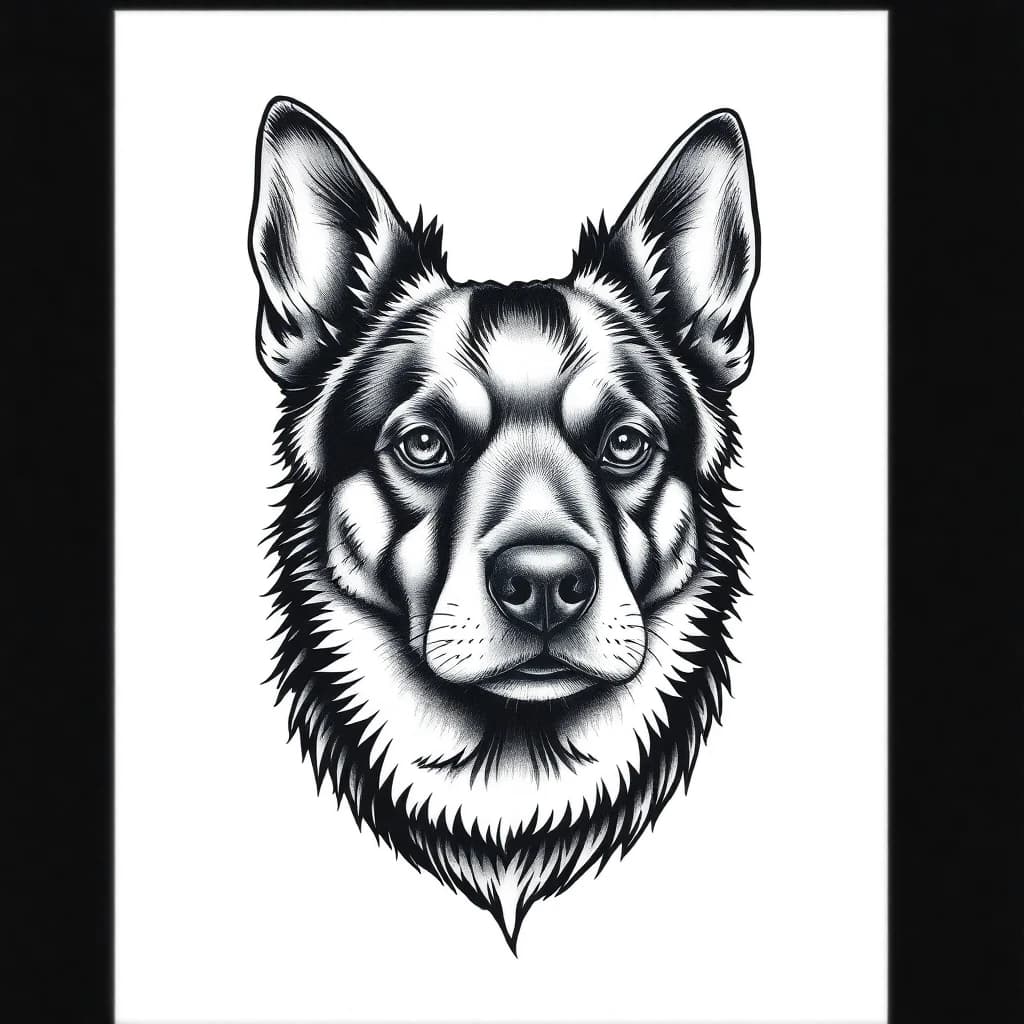 Example of an AI-generated dog portrait tattoo design in black and grey style
Step 4: Prepare Your Photo for the Artist
Once you've chosen your photo and have a sense of the style, prepare these materials for your tattoo artist consultation:
The Original Photo
Share the highest quality version, not a screenshot or compressed social media export.
Reference Tattoos
Find 3-5 examples of tattoos in your chosen style that you like. This helps the artist understand your aesthetic preferences beyond just the source photo.
AI Preview (Optional)
If you've generated a design using Ink Studio AI, share it—but make clear it's a reference, not a demand. Good artists appreciate direction but need room to apply their expertise.
Placement Preference
Where on your body do you want it? The location affects size requirements. Detailed portraits need larger canvases (upper arm, thigh, back). Simpler interpretations can work on wrists or ankles.
Step 5: Work with Your Tattoo Artist
This is where the magic happens. A skilled tattoo artist does more than copy—they translate.
The Consultation
A good artist will:
- Assess whether your photo will work as a tattoo
- Recommend style adjustments for longevity
- Suggest sizing and placement
- Discuss how skin tone affects color choices
- Create a custom drawing based on your photo
What to Expect
- Most artists charge a deposit and design fee
- The drawing process may take 1-2 weeks
- You'll typically see the final design on the day of your appointment
- Revisions are normal—don't be afraid to ask
Red Flags
Avoid artists who:
- Want to tattoo directly from the photo without a custom drawing
- Dismiss your concerns or preferences
- Don't have a portfolio of similar work
- Rush the process
Photo-to-Tattoo Checklist
Before your appointment, confirm:
- Photo is high resolution (1000x1000px minimum)
- Subject is clear and well-lit
- You've chosen a style that suits the image
- You have reference tattoos to share
- You know your preferred placement
- You've researched the artist's portfolio
- Budget accounts for size and complexity
Common Mistakes to Avoid
Going Too Small
Detail requires space. That tiny portrait on your wrist will blur into an unrecognizable blob within 5 years. Listen to your artist on minimum sizing.
Choosing the Wrong Style
Not every photo suits every style. A hyper-detailed landscape won't work as fine line. A simple pet portrait doesn't need photorealism.
Using Heavily Filtered Photos
Those Instagram filters look great on your feed but destroy the detail tattoo artists need. Always use the original.
Skipping the Consultation
Never book a tattoo session without first consulting with the artist about your specific photo. What works for one client may not work for your image.
Frequently Asked Questions
How long does a photo-to-tattoo conversion take?
The AI conversion takes seconds. Working with an artist typically involves a 1-2 week design period before your tattoo appointment.
Can any photo become a tattoo?
Technically yes, but not every photo works well as a tattoo. Low quality, busy compositions, or photos with poor lighting often result in disappointing tattoos.
How much does a photo-based tattoo cost?
Realistic portraits start around $300-500 for small pieces and can exceed $1,000+ for larger, detailed work. Pricing depends on the artist's rate, size, and complexity.
Will it look exactly like the photo?
No—and that's often a good thing. Skin isn't photo paper. A skilled artist adapts the image to work as a tattoo while preserving the essence of what makes the photo meaningful to you.
How do I find an artist who specializes in this?
Search for artists with "realism," "portrait," or "pet portrait" in their portfolio. Look for healed photos, not just fresh work. Check reviews and ask for consultations with 2-3 artists before deciding.
Conclusion
Converting a photo to a tattoo is a deeply personal journey. The right preparation—choosing a great source image, understanding styles, using AI to preview, and collaborating with a skilled artist—makes the difference between a tattoo you regret and one you treasure.
Ready to see how your photo looks as a tattoo? Try our Image to Tattoo tool to preview your design in multiple styles—free and instant.