 Francesco Chiaramonte
The best AI tattoo generator depends on the job you need done. For a tattoo concept from a photo, start with Ink Studio AI's image-to-tattoo converter. For free brainstorming without signup, try Perchance. For unlimited paid generation with a stencil converter, look at BlackInk AI. For a 3D body preview, consider Tatship. No generator produces a design that should go onto skin without a tattoo artist's redraw.
This guide compares seven tools by those tasks, free limits, and paid access. I am the founder of Ink Studio AI, which publishes this guide. The comparison uses public product information, not a hands-on test of every paid plan. Product and price facts were checked against official pages on August 29, 2026. On October 17, 2026, I rechecked the TattoosAI, Tatship, MyInk.ai, PicLumen, and Adobe Firefly pages. The BlackInk AI, Canva, ChatGPT, and Perchance pages blocked automated access that day, so their details come from the August check.
For the complete evidence, pricing provenance, and ownership disclosure, use the source-backed comparison hub.
Quick recommendations
| Need | Strong starting point | Why |
|---|---|---|
| Guided tattoo concepts and image conversion | Ink Studio AI | Tattoo presets, photo conversion, flat placement mockup, one-time access |
| High-volume tattoo planning suite | BlackInk AI | Unlimited paid generation, visualization, stencils, placement templates, 4× downloads |
| Dedicated 3D try-on | Tatship | 3D body preview, unlimited try-ons, and advanced edits on its paid plan |
| Low-cost credits and cover-up directions | MyInk.ai | Small credit packs, guided rounds, try-on, cover-up and artist-handoff workflows |
| Simple unlimited subscription | TattoosAI | Four free designs, then unlimited paid generation and private Pro designs |
| Completely free brainstorming | Perchance | Free general image generation without signup |
| Layouts, typography, and mood boards | Canva | Full visual editor and collaboration tools |
Have a written idea already? Create your first tattoo concept, or check access prices and Premium credits before using an image tool.
Best AI tattoo generator by use case
Most people search for "the best" tool when they need one of four jobs. Pick the job first, then the tool. A text generator that makes good flash will not keep your dog's face markings, and a 3D try-on does not create the design.
| Job | What you give the tool | Good fits in this guide | What to check in the output |
|---|---|---|---|
| Text prompt to concept | A written idea, style, size, placement | Ink Studio AI, BlackInk AI, TattoosAI, Perchance, ChatGPT | Clear silhouette, readable lettering, no extra limbs |
| Photo conversion | A portrait, pet photo, sketch, or object | Ink Studio AI, ChatGPT (general editing) | The features that make the subject recognizable |
| Try-on and placement | A design plus a body photo or 3D model | Tatship (3D), Ink Studio AI (flat 2D), BlackInk AI, MyInk.ai | Size and angle only; no preview shows healing |
| Stencil or linework handoff | A finished concept | BlackInk AI, TattoosAI (free stencil maker), MyInk.ai, Ink Studio AI | Line weight and spacing at real size; the artist redraws |
Ink Studio AI's tattoo-to-stencil tool turns a concept into a linework reference. Like the stencil tools from other products, it gives the artist a starting point. It does not replace the stencil that the artist prepares for your skin.
Methodology
We reviewed each product's current public product, pricing, help, and terms pages. We compared four jobs:
- Prompt-to-concept generation.
- Converting or editing an existing image.
- Previewing a design on a body.
- Preparing a visual reference to discuss with a tattoo artist.
We also checked billing model, free access, privacy statements visible on pricing pages, and material limitations. Recommendations describe which advertised tools fit each task. They do not rank image quality from a shared benchmark.
Many ranking lists are written by companies that sell a tattoo generator, and this one is too. Fello AI's September 2026 review of five ranking lists counted 24 tools across 44 ranked slots. Fourteen tools appeared on only one list, and BlackInk AI appeared on all five. That is why this guide states its ownership, links every price to an official page, and recommends competitors where they fit a job better.
1. Ink Studio AI — best for focused, non-renewing access
Ink Studio AI groups tattoo-oriented generation, image-to-tattoo conversion, flat body-photo placement, stencil reference conversion, and planning calculators in one browser product.
The text generator uses tattoo-oriented styles and controls. The Image to Tattoo tool is the more distinctive workflow: upload a portrait, pet, object, sketch, or artwork and explore a tattoo-style interpretation. The result is a concept, not a final stencil.
Current pricing
| Plan | Price | Text generation | Premium credits |
|---|---|---|---|
| First design | $0 | 1 generation | None |
| 7-day access | $12.99 one time | Unlimited during access | 10 |
| 14-day access | $16.99 one time | Unlimited during access | 20 |
| 30-day access | $23.99 one time | Unlimited during access | 30 |
Choose it for: tattoo-specific exploration, photo conversion, a simple placement mockup, or a short project where you do not want a renewing subscription.
Do not choose it for: true AR, a 3D body model, an unlimited allowance for every Premium image workflow, or a production-ready design that bypasses a tattoo artist.
Read Ink Studio AI's official product facts and compare the three access plans. The free first design uses the text generator. Photo conversion is a Premium tool and uses credits.
2. BlackInk AI — best for a broad, ongoing tattoo toolkit
BlackInk AI's Pro plan advertises unlimited designs and visualizations, placement templates, detail and line-weight controls, 4× downloads, a stencil converter, and cover-up or filler workflows. Its official pricing was $15 monthly, $39.99 quarterly, or $72 annually in our August 29, 2026 check. The free tier then included three credits and one limited visualization. Some October 2026 roundups report eight free designs instead, so confirm the current free allowance on the pricing page.
That makes BlackInk a stronger fit for someone planning a sleeve, multiple tattoos, or many iterations over time. Paid access renews, and the pricing page said free designs are public and may be deleted after 30 days. Professional commercial use is addressed separately in its terms.
Choose it for: unlimited paid volume, upscaling, placement templates, and a deeper planning suite.
Choose Ink Studio AI instead for: a focused photo-to-tattoo workflow or non-renewing short access.
Read the full BlackInk AI comparison.
3. Tatship — best for dedicated 3D body preview
Tatship's official pricing page advertises a 3D body try-on, unlimited try-ons, designs, and downloads on its paid plan, and advanced custom edits. The displayed monthly price is $17.99. The yearly toggle advertises a 50% saving but does not show the final figure, so verify the annual price at checkout. The pricing page showed no free plan on October 17, 2026.
A 3D view helps compare angles and broad placement, especially for wrapping designs. It still cannot predict healed skin, ink spread, movement, pain, or how an artist should rebuild the design.
Choose it for: 3D placement exploration.
Choose Ink Studio AI instead for: lower one-time access or a dedicated image-to-tattoo conversion.
Read the full Tatship comparison.
4. MyInk.ai — best for low-cost packs and a guided handoff
MyInk.ai's pricing page lists a free preview of eight credits with no card, which covers two four-direction rounds. Paid options are a 25-credit Starter pack, a 60-credit Session pack, and Pro+ with 200 credits per month. In our August check, those cost $4.99, $9.99, and from $9.99 monthly. The page hid prices behind placeholders on October 17, 2026, so check them at checkout.
The product advertises four-direction creative rounds, virtual try-on, cover-up directions, and an artist-handoff workflow. Its "Artist-Ready Pack" costs 40 credits and includes a finished design, a 300 DPI stencil, and a placement preview.
Choose it for: a small paid credit pack, explicit cover-up guidance, or a structured artist brief.
Choose Ink Studio AI instead for: short access with unlimited text-to-tattoo generation and tattoo-style conversion of an existing photo.
Read the full MyInk.ai comparison.
5. TattoosAI — best for straightforward subscription generation
TattoosAI advertises more than 18 tattoo styles and unlimited designs on paid plans. Every account gets four free designs with no card needed. Current pricing is $14.99 for 30 days of access or $4.99 per month on the 365-day plan. Basic designs go into the public gallery, while Pro designs can stay private.
The site also offers free browser tools without an account, including a stencil maker and a font generator. It says a virtual try-on is in development, so body preview is not available yet.
Choose it for: simple style-filtered generation and ongoing unlimited use.
Choose Ink Studio AI instead for: image conversion, a 2D body-photo mockup, or one-time billing.
Read the full TattoosAI comparison.
6. Perchance — best for free brainstorming
The referenced Perchance image generator is free, ad-supported, and does not require an account. It is a general image generator, not a maintained tattoo planning suite. That distinction matters: it is good for exploring motifs and broad directions, but it offers no dedicated tattoo try-on, photo-to-tattoo handoff, or artist-safety workflow.
Because it does not know tattoo constraints, write them into the prompt yourself: "black linework", "plain white background", "no shading", and the intended placement. Expect to generate more rough images before one is useful.
Choose it for: generating many rough directions at zero cost.
Choose a dedicated product for: organized tattoo styles, placement planning, or converting a personal image.
Read the full Perchance comparison.
7. Canva — best for presentation and typography
Canva is not primarily a tattoo generator, although it has a Free AI Tattoo Generator page that creates designs from a text prompt with style presets. Its strength is combining generated or uploaded references with typography, labels, shapes, and layouts. This makes it useful for a mood board that explains which composition, line treatment, symbols, and text matter.
Canva's US pricing page listed a free plan with an AI allowance and Pro at $144 per year for one person in our August check. Regional pricing and allowances vary.
Choose it for: mood boards, lettering layouts, collaboration, and presentation.
Choose a dedicated generator for: tattoo-oriented presets or one-step placement mockups.
Read the full Canva comparison.
Also consider ChatGPT for conversational editing
ChatGPT Images creates and edits images through conversation and can work from uploaded images. It is useful when you want to explain multiple revisions in natural language or combine image work with writing and research. Its free tier includes limited image generation. In our August check, official US consumer prices included Go at $8 per month and Plus at $20 per month, with usage limits varying by plan.
ChatGPT is a general assistant, not a dedicated tattoo workflow. Read the full ChatGPT comparison.
Other AI tattoo generators worth mentioning
These tools appear in other 2026 roundups. I did not include them in the main seven because they are general image products or their tattoo pages are a small part of a larger app. They are still reasonable choices for some jobs.
| Tool | What it offers for tattoos | Free access (checked October 17, 2026) | Paid entry |
|---|---|---|---|
| Adobe Firefly | General image generation and reference-led edits | Free daily generations; limits refresh daily | Standard at $9.99/month for 2,000 credits |
| PicLumen | Tattoo page with text-to-tattoo, image-to-tattoo, styles, and a try-on | 10 free Lumens every day | Paid plans; prices not shown on that page |
| Magic Hour | Quick concept generator, according to its own September 2026 roundup | Free without signup, per its own guide | Not stated in that guide |
Adobe Firefly is a good fit if you already use Adobe tools and want to revise a reference image in steps. PicLumen's Basic plan does not include commercial use, according to its page. Neither replaces a tattoo-specific placement or handoff workflow.
Which AI tattoo generators are free?
Free access has different meanings across these products. Some give a fixed number of designs, some give daily credits, and some give unlimited general images with no tattoo features. Check the official page before you create an account.
| Product | Current free access | Main limit |
|---|---|---|
| Perchance | Free general image generation without signup | No dedicated tattoo workflow |
| Ink Studio AI | One text-to-tattoo design without a credit card | Paid access after the first design |
| TattoosAI | Four designs per account, no card needed | Basic designs go into the public gallery |
| BlackInk AI | Small free allowance (three credits in August) | Free designs are public and may be deleted |
| MyInk.ai | Eight free credits (two four-direction rounds) | Continued use needs credits or a plan |
| PicLumen | 10 free Lumens every day | No commercial use on the Basic plan |
| Adobe Firefly | Free daily generations | General image tool; daily limits |
| Canva | Free plan with an AI allowance | Allowance and features depend on the plan |
| ChatGPT | Free plan with limited image generation | Limits can change by plan and demand |
| Tatship | No free plan shown on its pricing page | Paid plan for 3D try-on |
What "free" usually costs you
The most common trade-off is privacy. On several tattoo products, free or entry-level designs go into a public gallery. If your idea is personal, such as a memorial or a name, read the privacy line on the pricing page before you generate.
The second trade-off is scope. A free text generation does not include photo conversion, try-on, or stencil tools on most products. If the free result convinces you to pay, compare what the paid plan includes for the job you need, not the number of generations.
Tattoo-specific versus general image tools
A tattoo-specific interface reduces prompt work and keeps relevant decisions close together. A general tool offers broader editing, conversation, or layout functions. Neither type guarantees that an image is safe or technically suitable for skin.
| Need | Better starting point |
|---|---|
| Learn tattoo styles without detailed prompt skills | A dedicated tattoo generator |
| Convert a portrait, pet photo, or sketch | A dedicated image-to-tattoo tool |
| Compare placement on a body photo or model | A dedicated try-on tool |
| Edit an image through a detailed conversation | A general AI assistant such as ChatGPT |
| Make a labelled mood board or lettering layout | A general design tool such as Canva |
| Generate many rough ideas at no cost | A free general image generator such as Perchance |
You can also use more than one product. Generate a broad direction, refine it with tattoo-specific controls, arrange the selected references in a mood board, and then ask a professional tattoo artist to rebuild the concept for your body.
Write a prompt that works in any generator
The prompt affects the result more than the choice between two similar tools. A useful tattoo prompt names five things: the subject, the style, the placement and approximate size, the color treatment, and what to leave out.
| Part | Example | Why it helps |
|---|---|---|
| Subject | "Moth with open wings" | One clear motif instead of several |
| Style | "Blackwork, bold outline" | Sets line weight and shading |
| Placement and size | "Vertical, inner forearm, about 10 cm" | Controls composition and detail level |
| Color | "Black ink only" or "muted red accents" | Avoids colors you would not tattoo |
| Exclusions | "No lettering, plain white background" | Removes text errors and busy backgrounds |
Use the same prompt in each tool you compare. For more examples by style and subject, see how to write an AI tattoo design prompt.
How to compare AI tattoo designs for your own idea
Use the same subject and intended placement in each tool. Change one instruction at a time, and keep the outputs beside the original brief. The examples below are prompts you can try. They are not results from a comparative test.
A small forearm tattoo from text
Try: "Blackwork moth with open wings, vertical composition for the inner forearm, bold outline, open space between wing details, plain white background, no lettering."
Check the silhouette at the size you intend to wear. Look for joined lines, uneven wings, and details that disappear when you reduce the image. A more detailed output is not always a better tattoo reference. Use the tattoo size calculator to explore dimensions, then confirm them with your artist.
A minimalist or hand tattoo
Small placements leave little room for detail. Try: "Minimalist fine-line swallow, single continuous outline, no shading, fits on the side of a hand, plain white background."
Shrink the output to its real size on screen before you judge it. If two lines nearly touch at that size, simplify the prompt again. Ask your artist how fine detail will hold on the placement you chose, because the answer depends on skin and technique, not on the generator.
A pet or memorial tattoo from a photo
Start with one clear photo. Crop around the subject and use an image converter rather than asking a text generator to guess what the person or pet looks like. Try: "Keep the dog's ear shape and face markings. Simplify the fur into black linework with open areas. Remove the background."
Compare the result with the source photo. Check the eyes, expression, proportions, and distinctive marks before adding flowers or other details. Use an image-to-tattoo tool if preserving a personal reference is your main task. Keep both the photo and the concept for your artist.
A sleeve or placement idea
Plan the main motif first. A prompt such as "Botanical upper-arm concept with one peony, flowing leaves, and open space around the flower" is easier to assess than a full sleeve with many unrelated subjects.
Use a body-photo tattoo preview to compare the size and angle of one design. Ink Studio AI's preview is a flat 2D composite. If you need to inspect a design around a 3D body model, compare Tatship's preview tools. An artist still needs to plan how the design fits the arm as it moves.
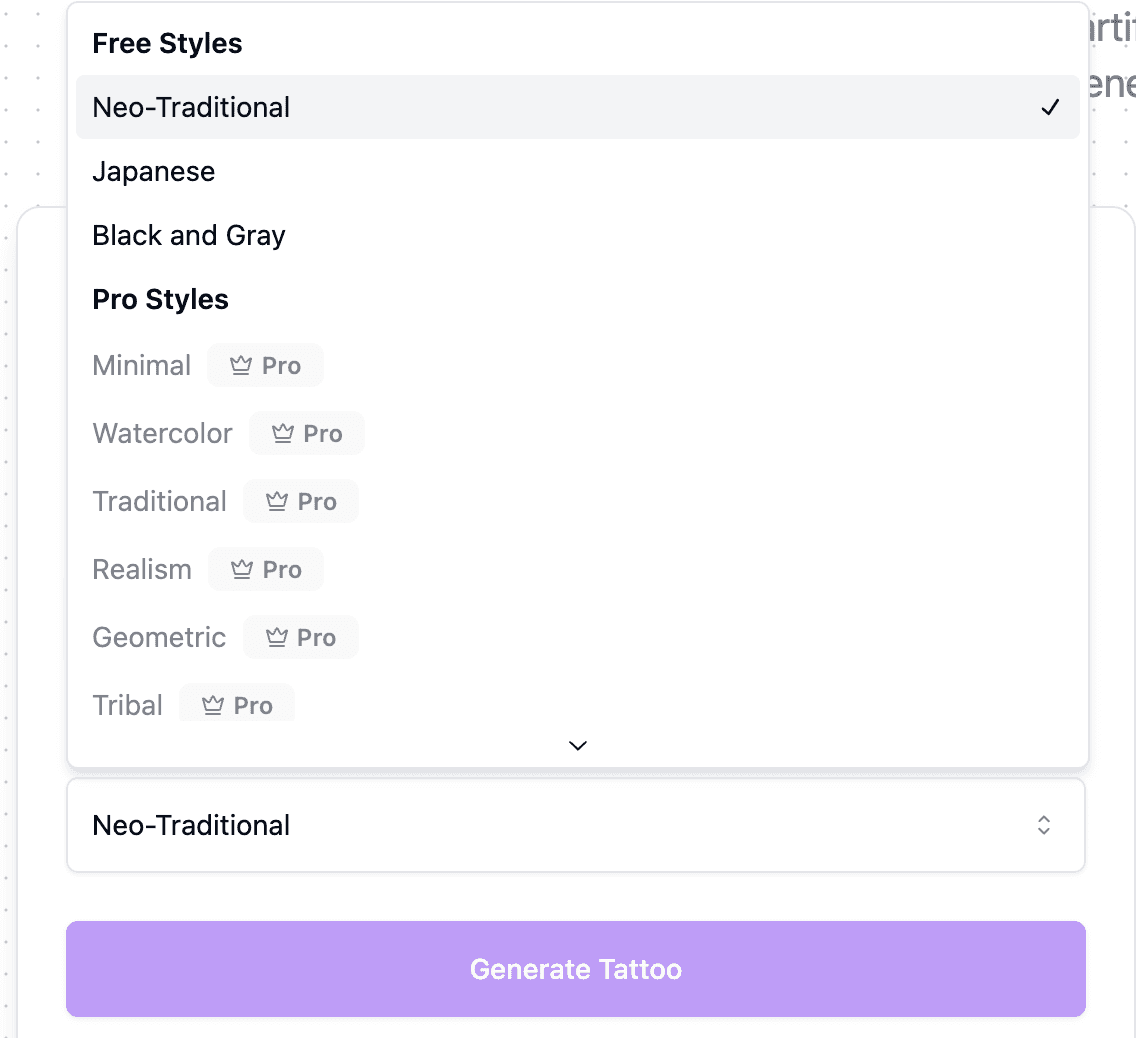 Tattoo style examples generated with AI
The limits of AI tattoo designs
No responsible comparison should recommend putting an AI design straight onto skin. AI can produce extra fingers, broken symmetry, illegible text, inconsistent line weight, copied visual clichés, and detail that will collapse at the intended size.
The tools also share blind spots. None of them knows your skin, your existing tattoos, or how a design moves on a curved limb. A try-on preview, flat or 3D, shows size and angle but not healing, ink spread, or ageing. Results are not guaranteed to be unique, so avoid protected characters, logos, and living artists' signatures. For ownership questions, read who owns an AI tattoo design.
A professional tattoo artist should:
- Check the concept for originality and practical tattooability.
- Redraw anatomy, spacing, line weight, and contrast.
- Adapt composition to the body and existing tattoos.
- Explain how size, placement, and technique affect ageing.
- Create the final stencil and apply the tattoo safely.
A better selection process
- Define the real task: brainstorm, convert an image, preview placement, or prepare a brief.
- Pick the tool whose primary workflow matches that task.
- Use the free allowance to test one prompt before you pay.
- Generate fewer, more deliberate options instead of hundreds of near-duplicates.
- Keep the original references alongside AI outputs.
- Stop generating once you can explain the direction clearly to an artist.
Frequently Asked Questions
Is there a free AI tattoo generator?
Yes. Perchance is free without signup but has no tattoo-specific tools. TattoosAI gives four free designs per account, MyInk.ai gives eight free credits, and Ink Studio AI gives one free text-to-tattoo design without a credit card. Free designs on some products go into a public gallery, so check the privacy terms first.
Can I take an AI design to a tattoo artist?
Yes, as a reference. Bring the AI concept with the original photos and a short note about size and placement. Expect the artist to redraw it, adjust line weight and spacing, and make the final stencil. Some artists prefer not to work from AI images, so ask when you book.
Which AI is best for tattoo design?
It depends on the job. A tattoo-specific generator such as Ink Studio AI, BlackInk AI, or TattoosAI needs less prompt work for flash-style concepts. Use an image-to-tattoo tool for a personal photo, Tatship for a 3D preview, and Canva or ChatGPT when you need layouts or long conversational edits.
Can ChatGPT make tattoo designs?
Yes. You can describe a concept or upload a reference and ask for changes. State the subject, style, intended size, and placement, and ask for a plain background. Review generated lettering and anatomy before using the image as a reference. The ChatGPT comparison explains how its general image tools differ from a tattoo-specific interface.
Does Canva have a tattoo generator?
Yes. Canva has a Free AI Tattoo Generator page that creates designs from a text prompt with style presets. It is strongest for lettering, layouts, and mood boards. It does not offer a dedicated tattoo try-on or artist-handoff workflow.
What is the best AI tattoo generator from a photo?
Choose a tool that accepts an uploaded reference and lets you direct the conversion. Ink Studio AI's image-to-tattoo tool supports this task. Check whether the result keeps the features you care about. A tool that only places a finished tattoo on a body photo solves a different problem.
Are AI tattoo designs private?
Not always. TattoosAI puts Basic designs in a public gallery, and BlackInk AI's pricing page said free designs are public. Paid plans on those products offer private designs. Read the privacy line on the pricing page before you upload a personal photo or a name.
Should I buy a plan before speaking with an artist?
You do not need to. A sketch, photo, or small collection of references can be enough for a first discussion. Paid generation can help you compare directions, but it does not replace the artist's design work. If you choose Ink Studio AI, check the access period and included credits against the tasks you plan to do.
Sources
- BlackInk AI pricing
- TattoosAI pricing
- TattoosAI product page
- Tatship pricing
- MyInk.ai pricing
- Perchance image generator
- Canva pricing
- Canva Free AI Tattoo Generator
- ChatGPT pricing
- Images in ChatGPT
- Adobe Firefly plans
- PicLumen AI tattoo generator
- Magic Hour: best AI tattoo generators
- Fello AI: AI tattoo generator rankings
- Jotform independent comparison
TattoosAI, Tatship, MyInk.ai, PicLumen, and Adobe Firefly pages last checked October 17, 2026. Other product pages last verified August 29, 2026. Send factual corrections with an official source to [email protected].